Tools

Developer alpha Open source · MIT

This site has no MCP. Make one.

Point WMA at a website. It studies the requests the site makes, drafts MCP tools in a local spec, and you review them before your agent calls them.

A shop website separated into three layers: the page, the network requests behind it, and an empty slot for a tool

22 seconds, with narration: unmute to hear it. The shop in the film is a made-up example.

How it works

From “no tool for this site” to a tool your agent can call.

Illustrations use a made-up shop. Screens marked “real dashboard” are from WMA itself, with demo data.

  1. 01 · The problem

    Your agent asks. There is no tool.

    Most websites don't ship an MCP server, so an agent has nothing reliable to call and is left guessing at the page, or giving up.
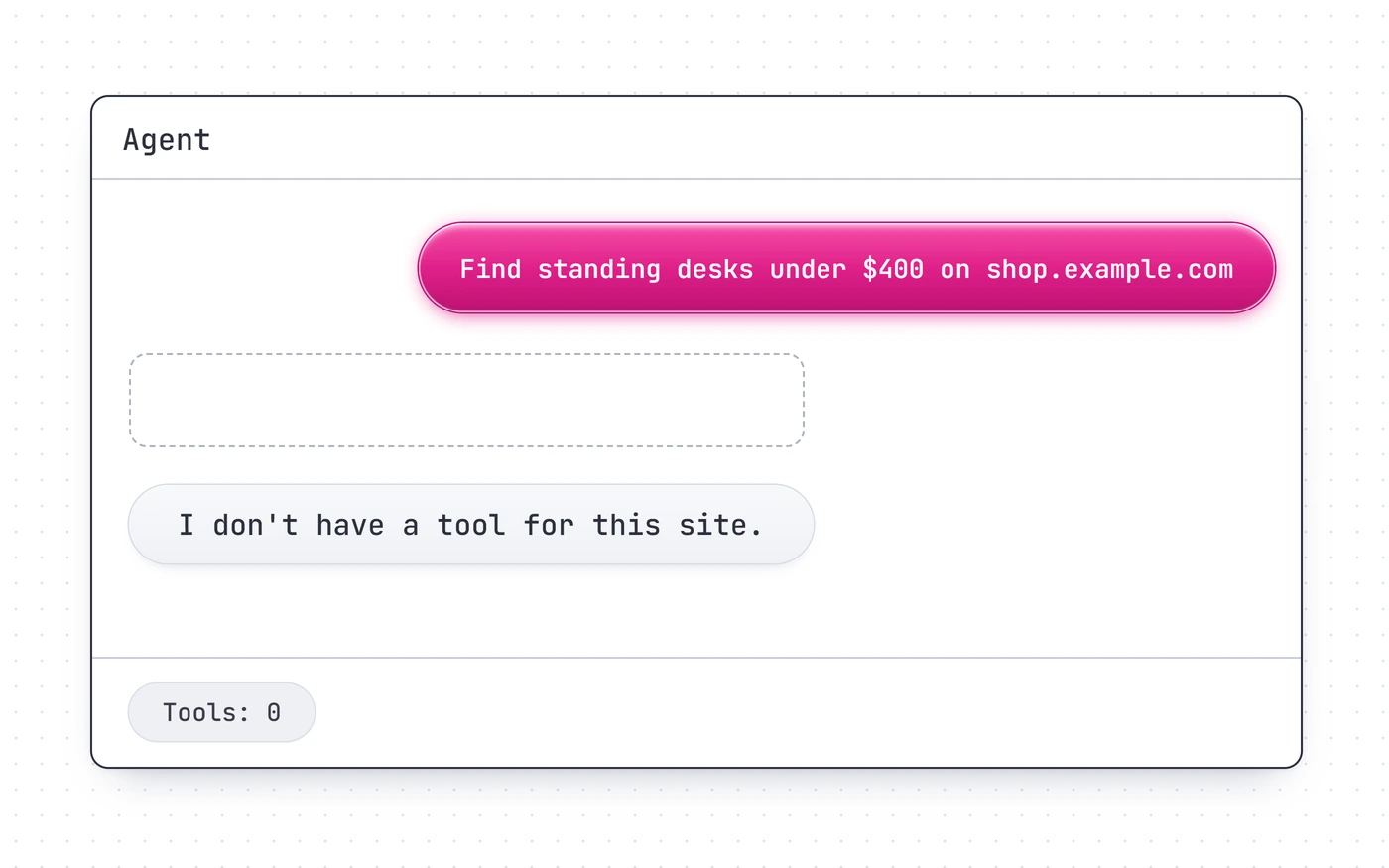
    An agent chat: the user asks for standing desks on a shop site and the agent replies that it has no tool for this site
  2. 02 · Look underneath

    Many pages already call an API.

    Behind a search box there is often a plain request returning clean data. That request is the tool hiding in plain sight. Not every site works this way, and that's fine: WMA can also save page steps.
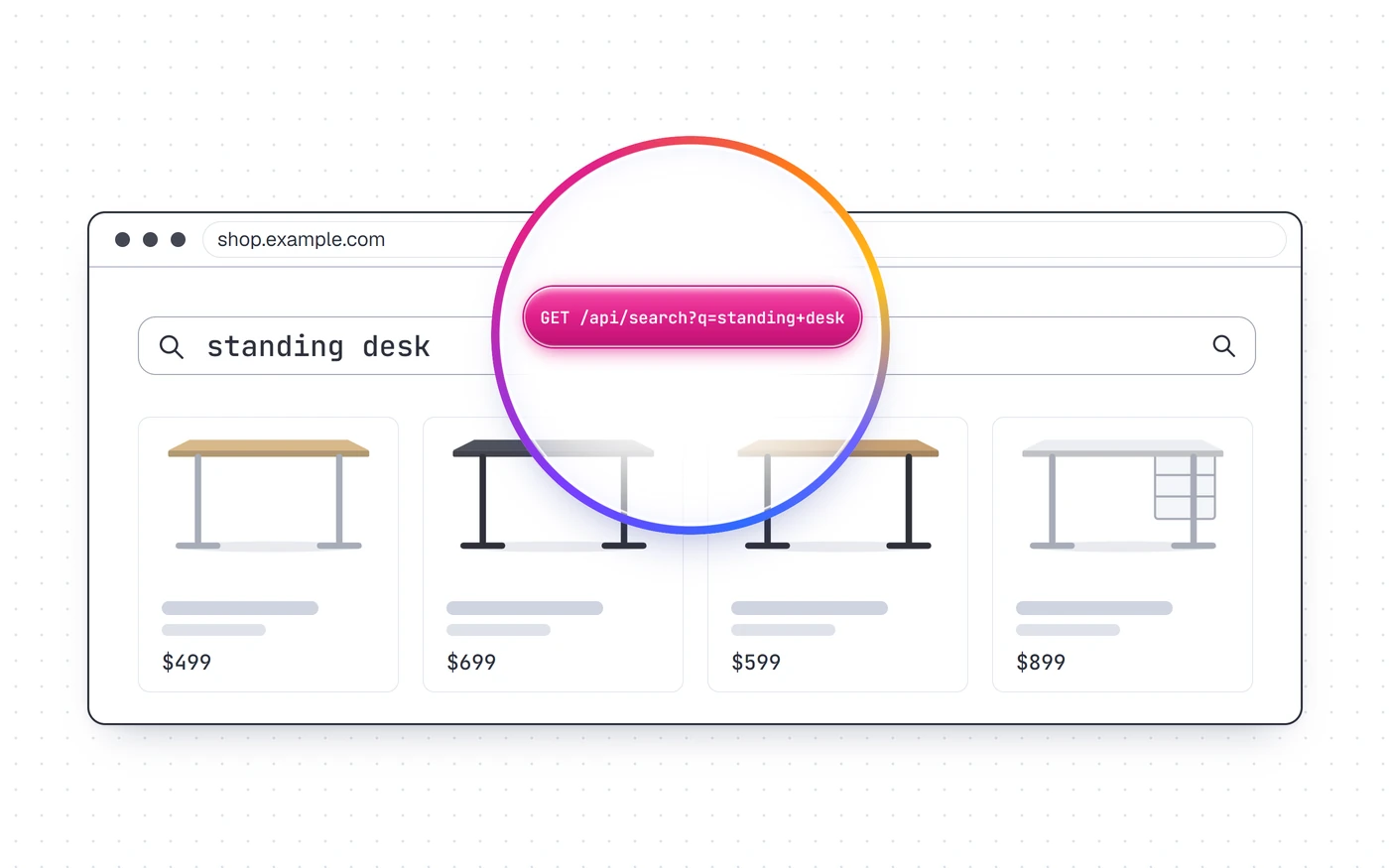
    A glass lens over a shop page reveals the request GET /api/search?q=standing+desk
  3. 03 · The idea

    Page, network, tools.

    WMA treats a website as layers. What you see on the page, what the page requests, and the named tools that can be built from those requests.
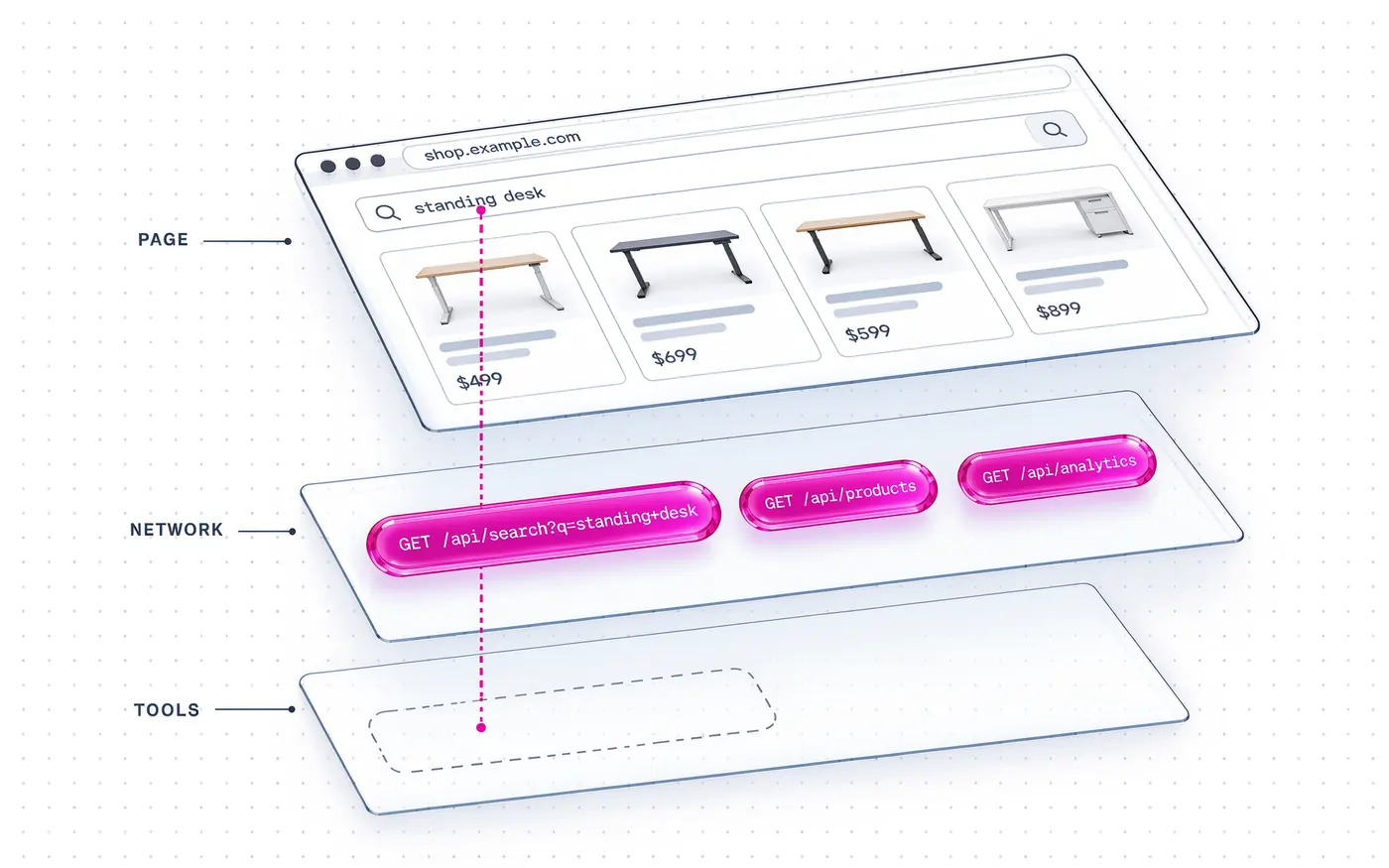
    The shop page, its network requests and an empty tool slot as three stacked layers
  4. 04 · Point it at the site

    WMA explores and records.

    npx wma "https://shop.example.com/" \
      --goal "find standing desks"

    By default it explores for up to 30 seconds, guided by your goal. Add --interactive to browse yourself in a visible browser, for example to complete a site's own sign-in or check. It only covers what it observed.
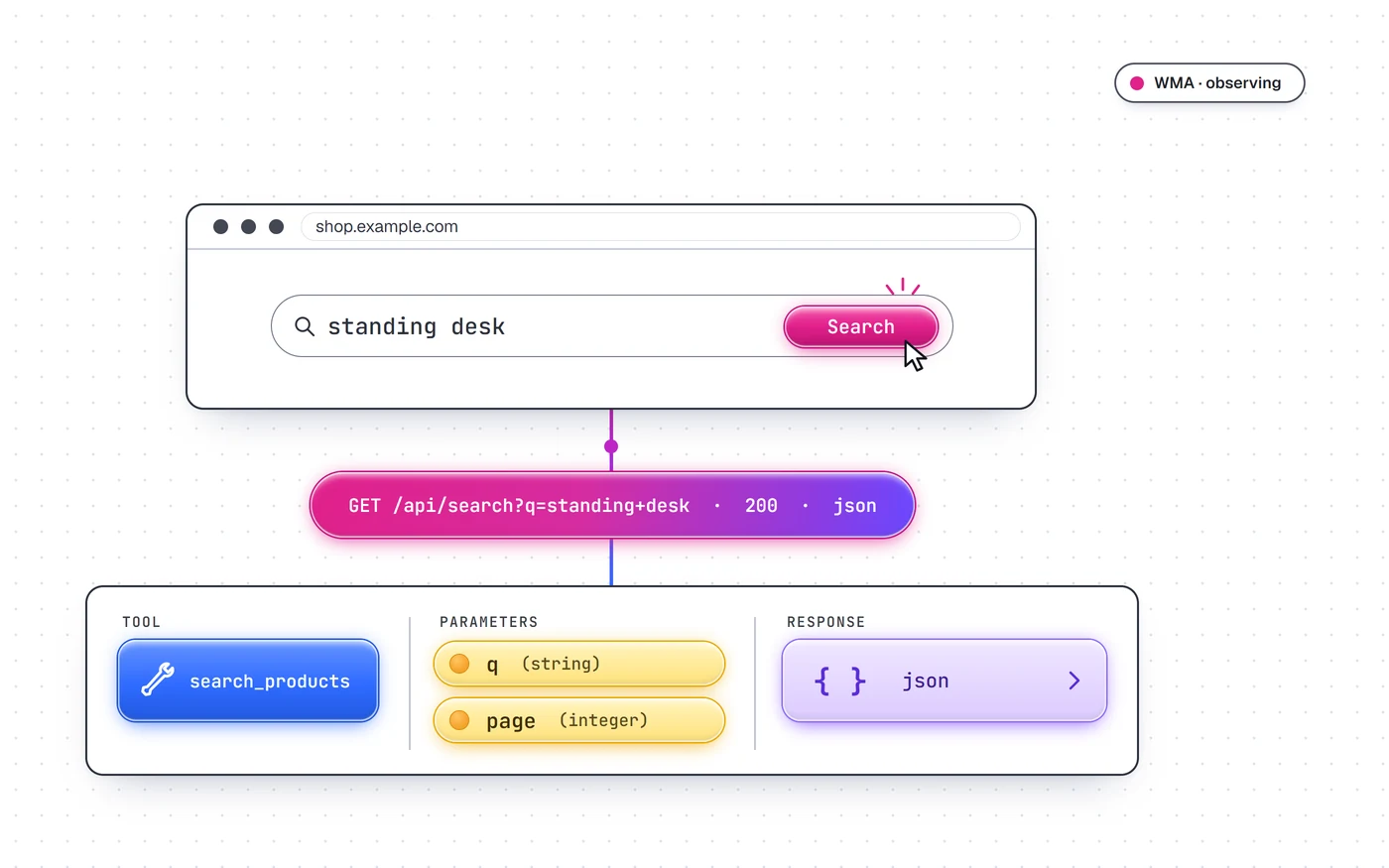
    A search for standing desk produces a request that returns JSON, which maps to a tool, parameters and a response
  5. 05 · The draft

    Requests become a local spec.

    Tools get names and typed parameters, saved as JSON on your machine. Read tools may start on. Inferred write tools start off until you opt in.
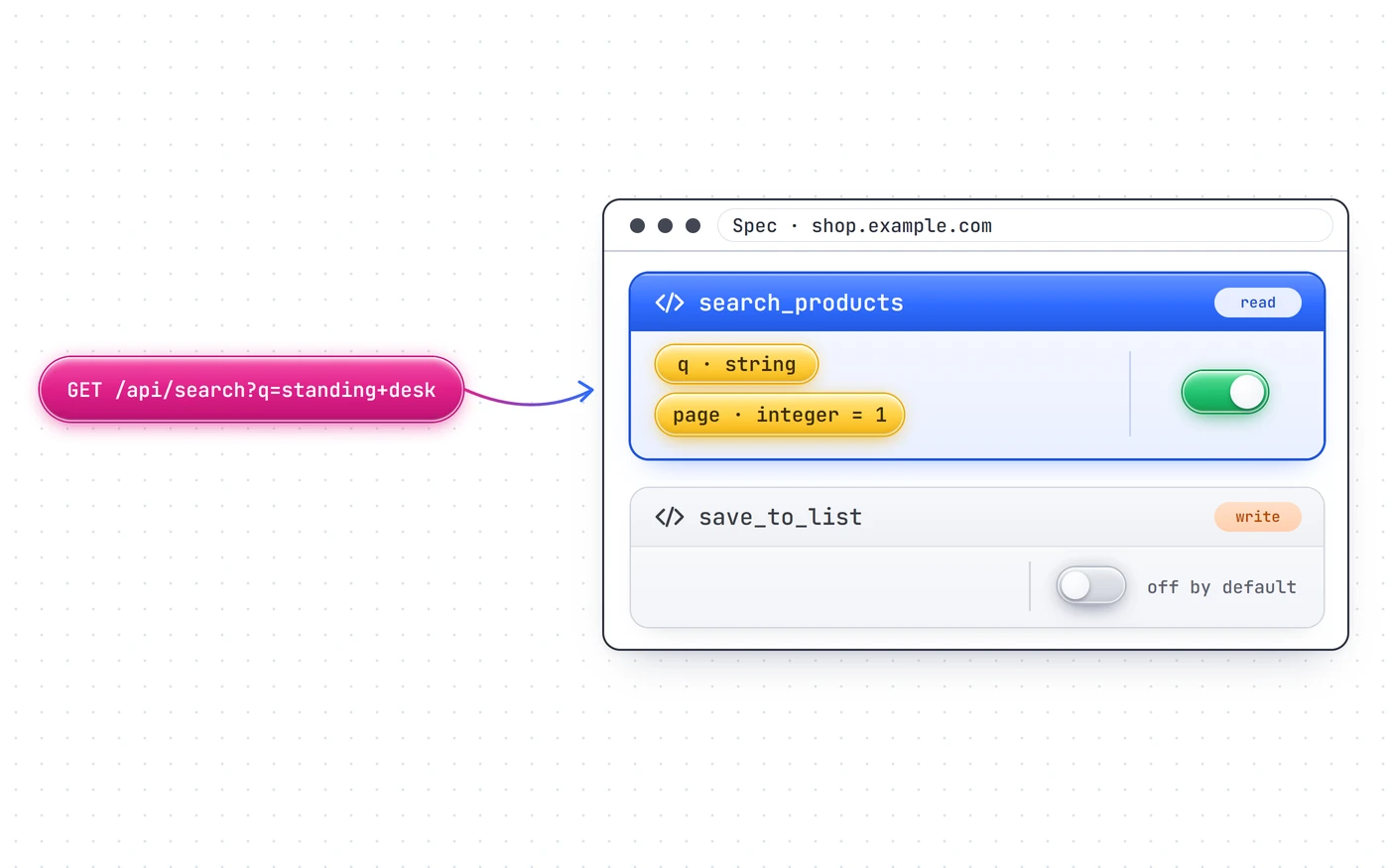
    A request flows into a spec listing a read tool switched on and a write tool switched off by default
  6. 06 · You review

    Check it before you connect it.

    Rename tools, narrow parameters, and turn off anything you don't want an agent to have. The spec is the contract: it's readable and you can diff it, and refresh won't overwrite your edits.
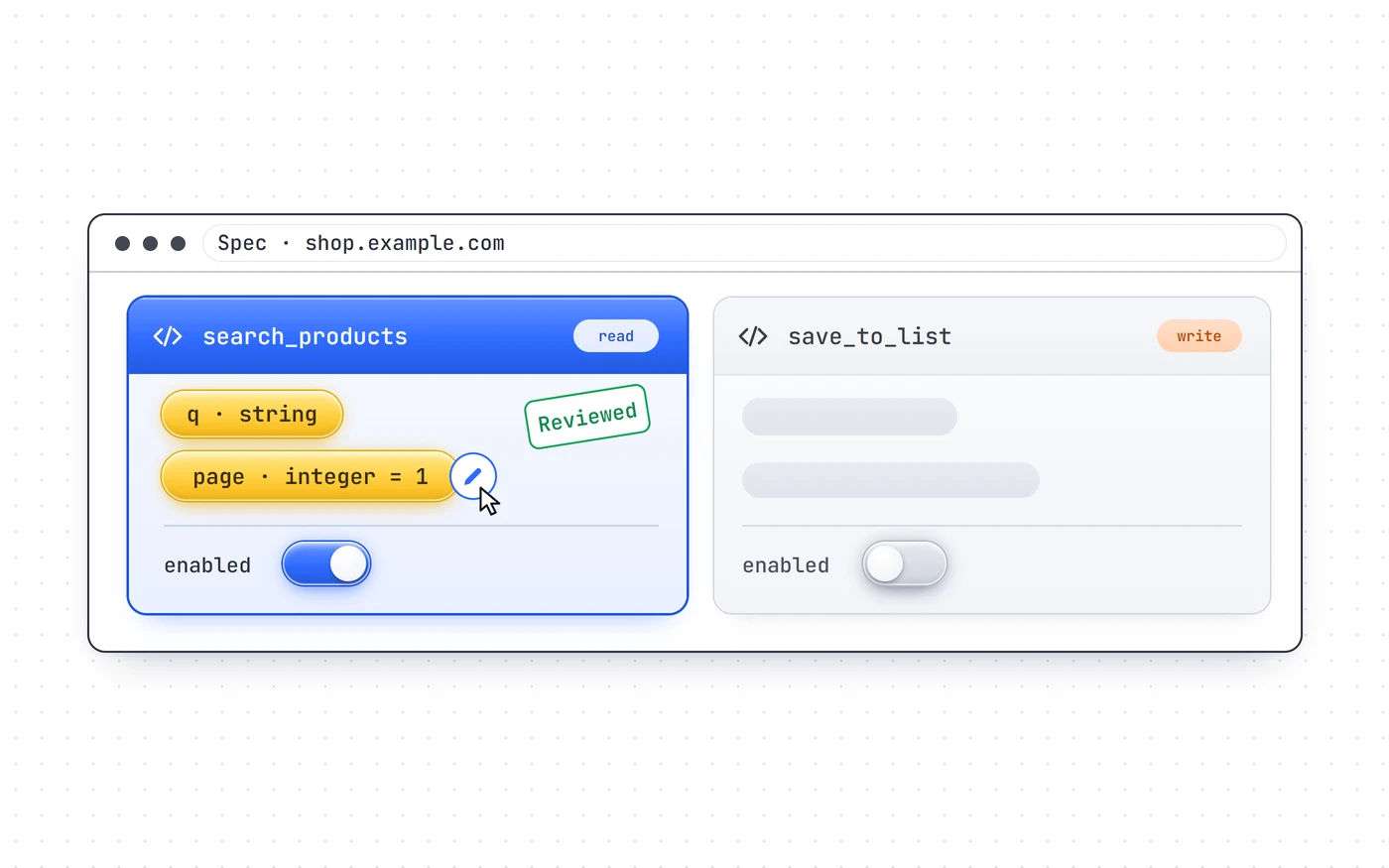
    The spec with the read tool marked Reviewed, a parameter being edited and the write tool left off
  7. 07 · The real thing

    Or review in the dashboard.

    npx wma ui --port 18863

    A local dashboard shows each discovered tool, the request behind it and its input schema. There's a playground for trying calls.
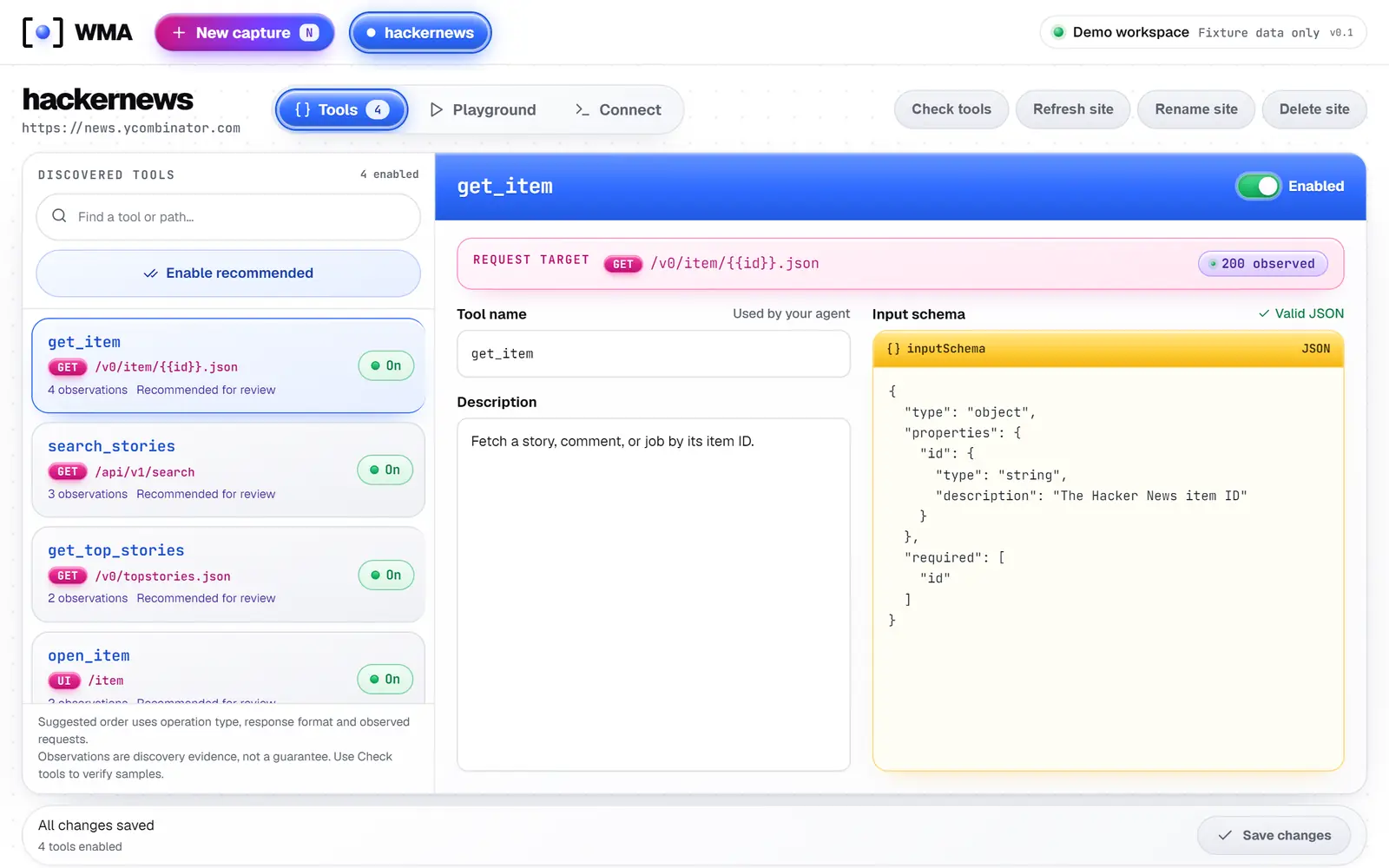
    Real WMA dashboard with demo data: a list of discovered tools and the definition of search_stories
    Real dashboard, demo data
  8. 08 · Connect

    One command to add it.

    When usable tools exist, WMA prints a ready claude mcp add command and Claude Desktop config. Tools are served over MCP, through stdio or loopback HTTP.
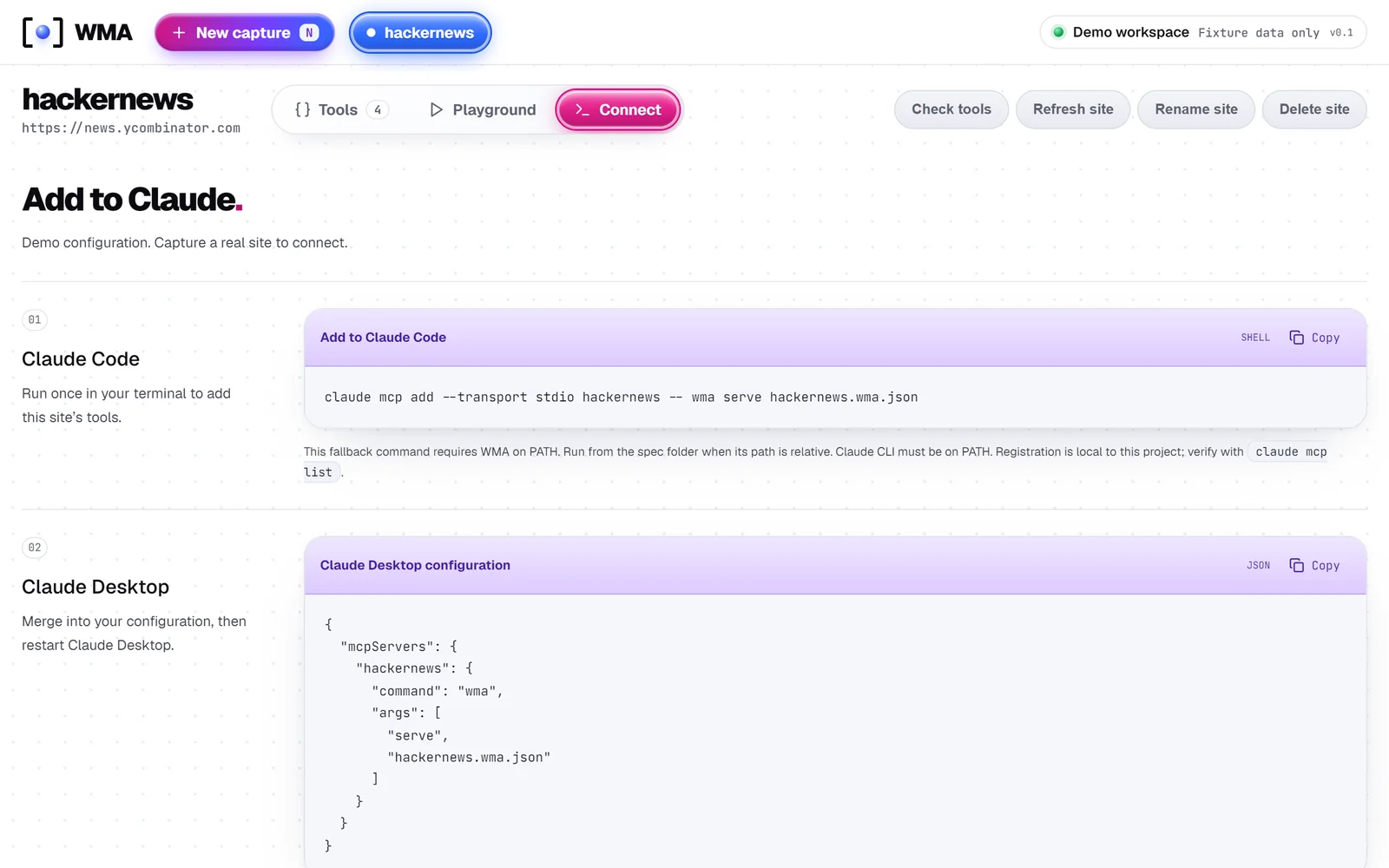
    Real WMA dashboard with demo data: commands for adding the tools to Claude Code and Claude Desktop
    Real dashboard, demo data
  9. 09 · Solved

    Same question. Now it has a tool.

    The agent calls the tool by name and gets the site's response back. Saved tools replay without a model in the loop. npx wma check confirms a response came back, not that the data is complete, so look at the results.
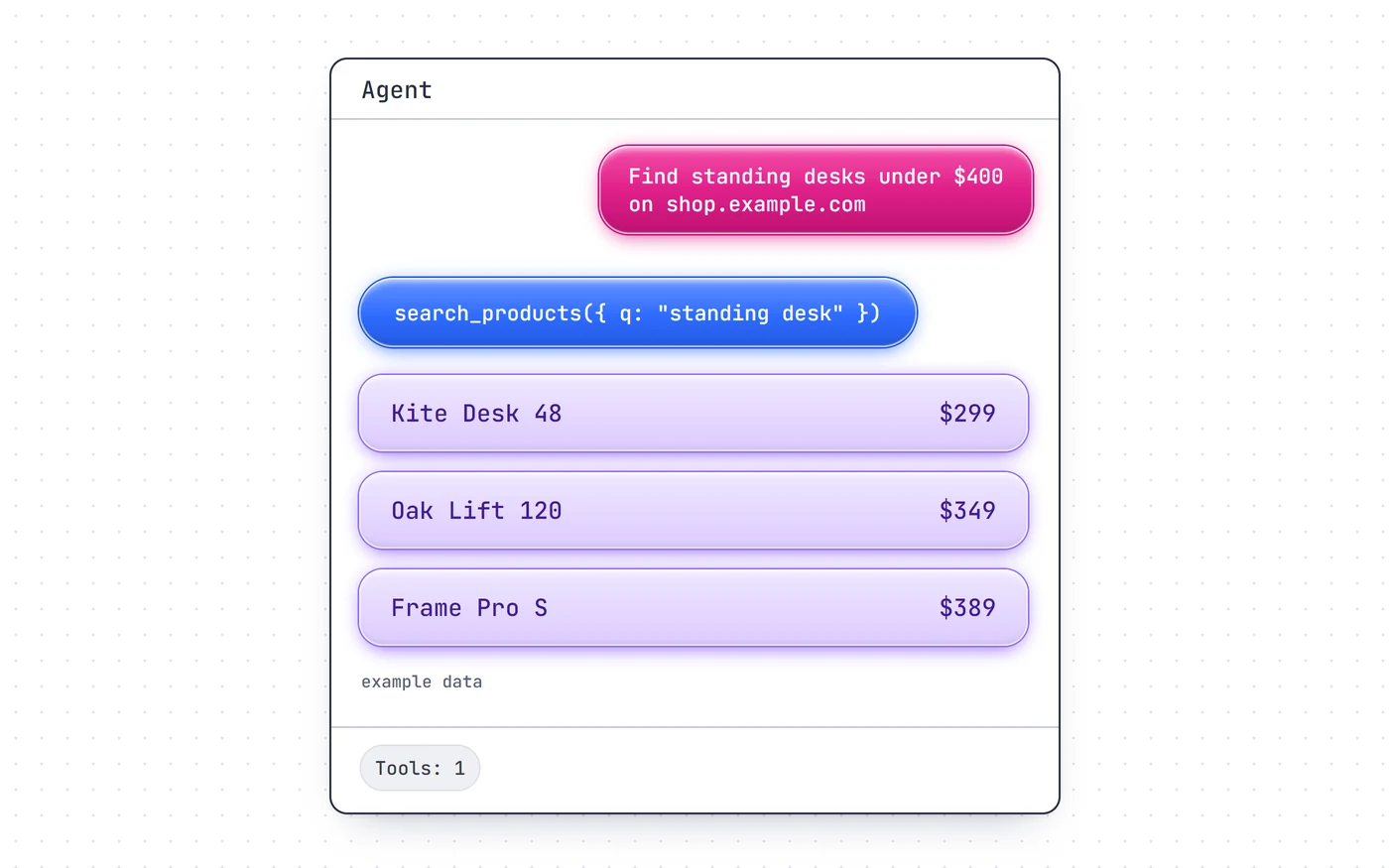
    The same agent chat, now calling search_products and listing three example desks

Tool types

Two saved kinds, one live surface.

After that

Keep it, change it, remove it.

wma refresh
Runs discovery again. Your reviewed tools and edits stay, and new candidates arrive disabled. It does not repair broken tools.
wma check
Tries recorded samples of read-only tools. It skips POSTs and interactive actions.
wma list
Shows your saved sites, stored under ~/.wma.
wma remove
Removes a site and keeps a restorable spec backup.

Honest status

What works, and what isn't proven yet.

Works today

  • Proposes parameterized tools from what it observed on a site.
  • Local, reviewable JSON specs; refresh keeps your edits.
  • MCP server over stdio and loopback HTTP.
  • Live interactive browser tools.
  • Local dashboard to support review.

Not established yet

  • Not yet shown to beat a hand-written script.
  • Discovery is heuristic. It won't find every workflow or login scheme.
  • No self-healing, and multi-day reliability isn't established.
  • Access walls stop it. A session you complete yourself is not a bypass, and may still be rejected.
  • No scheduler, no stable SDK, not on npm. Extension and WebMCP are experimental.

Safety controls

Inferred writes start off. Credentials stay local under ~/.wma/secrets, separate from specs. Browser tools follow robots rules for page navigation, pace page loads, and block private-network destinations. Action controls prohibit purchases, messages and other sensitive operations. These are controls, not guarantees, so review specs before sharing them, and only use WMA on sites you are allowed to automate.

Try it

Run it from source.

Node.js 20+, npm, and Chromium via Playwright. Not published to npm: run these inside the checkout.

Set up
git clone https://github.com/ZirkoMirkoLabs/web-mcp-anything
cd web-mcp-anything
npm ci
npx playwright install chromium
npm run build
npx wma doctor
Make tools for a site
npx wma "https://hn.algolia.com/?q=rust" --goal "find Rust stories"
npx wma list
npx wma ui --port 18863

Web MCP Anything

Get it on GitHub ↗